Opening a specific 1Password item from the terminal in the 1Password desktop app
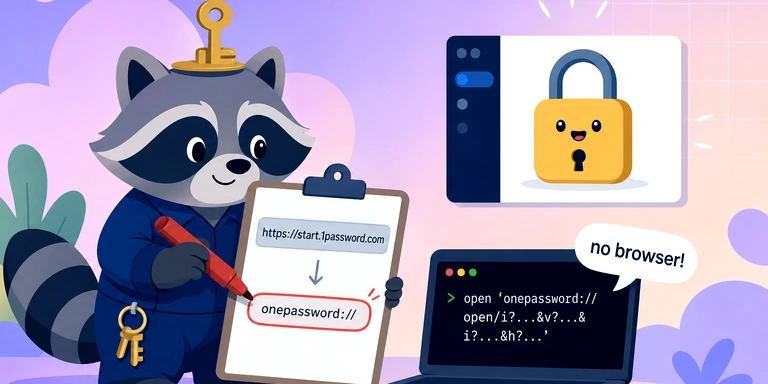
How to Open a Specific 1Password Item in the Desktop App from the CLI
There’s a common need to bring up frequently used items in 1Password directly in the desktop app with a single CLI command.
Although the onepassword:// URL scheme exists, the official documentation barely describes the format for opening a specific item. After some trial and error, it turns out you can open an item directly in the desktop app by slightly rewriting the Private Link URL—without going through the browser.
Steps
1. Copy the Private Link in 1Password
In the 1Password desktop app, right-click the item you want to open and select “Copy Private Link”.
A URL like the following will be copied to your clipboard:
https://start.1password.com/open/i?a=ABCDEFGHIJKLMNOPQRSTUVWXYZ&v=ZYXWVUTSRQPONMLKJIHGFEDCBA&i=noagqauoq2qmya7tdiavvvslf4&h=my.1password.com
Meaning of each parameter:
a= account UUIDv= vault UUIDi= item UUIDh= hostname
2. Rewrite the beginning of the URL
Replace the https://start.1password.com part of the copied URL with onepassword:.
Before:
https://start.1password.com/open/i?a=...&v=...&i=...&h=...
After:
onepassword://open/i?a=...&v=...&i=...&h=...
3. Open it with the open command
open 'onepassword://open/i?a=ABCDEFGHIJKLMNOPQRSTUVWXYZ&v=ZYXWVUTSRQPONMLKJIHGFEDCBA&i=noagqauoq2qmya7tdiavvvslf4&h=my.1password.com'
Be sure to wrap the URL in single quotes to prevent & from being treated by the shell as a background operator.
This will launch the 1Password desktop app and display the target item directly. No browser will open.
URL Schemes That Don’t Work
You can find incorrect information online; for example, the format below does not work:
# Example that doesn't work
open 'onepassword://view-item?i=noagqauoq2qmya7tdiavvvslf4'
There is no view-item path. The onepassword: protocol itself is valid, so 1Password may launch, but it won’t show a specific item.
The correct format is onepassword://open/i?a=...&v=...&i=...&h=..., and all four parameters are required.
Why This Works
As 1Password developers have mentioned on the forum, the share link https://start.1password.com/open/i?... is originally a format where the 1Password app is registered as the URL handler. If the desktop app is installed, opening this HTTPS link will trigger the app to launch and display the corresponding item.
However, because it goes through the browser once, your settings may cause the browser to open first. To avoid that, rewrite it to the onepassword:// scheme from the start.
Notes
- Since this usage isn’t explicitly documented, behavior may change in future 1Password versions (though the share-link feature itself is stable).
- On macOS, this assumes the 1Password 8 desktop app is installed.
- Behavior may differ on iOS. This article assumes macOS behavior.
Summary
- Copy the Private Link
- Replace
https://start.1password.comwithonepassword: - Run it with
open '<URL>'
That’s all it takes to open a specific 1Password item directly in the desktop app from the CLI. Combined with launcher scripts (Alfred, Raycast, etc.), it enables an even more powerful workflow.
We look forward to discussing your development needs.