Mullion — a frameless browser that shows only the page
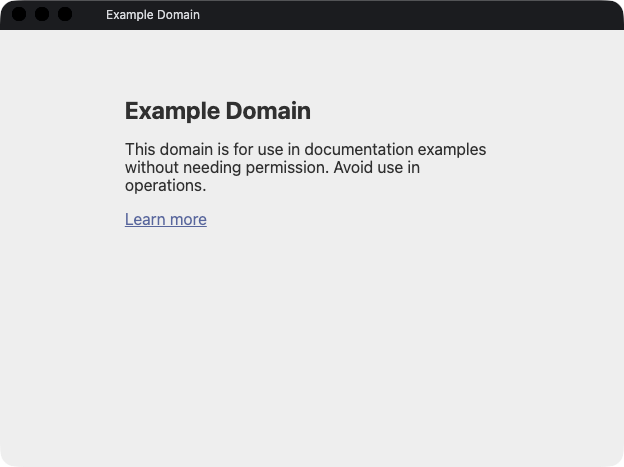
You only want to leave a video or a playlist running, but a browser brings its tab bar, its toolbar and its bookmarks along with it. Half the window ends up being the apparatus for looking at the page, and the page itself shrinks.
Mullion is a frameless Electron browser that opens a URL or a local file in a window holding just the page. The navigation bar appears when you ask for it and gets out of the way again. It can run a script after the page loads, and it can live in the menu bar instead of the dock.
The name is the architectural term for the slender bar that divides a window into panes — the one part of a window you are meant not to notice.
Download & Source
- Homebrew —
brew install --cask cyberneura/tap/mullion - ▶ Download the latest release (GitHub Releases)
- GitHub repository (source code)
The macOS build is a Developer ID–signed and Apple-notarized universal binary (Intel / Apple Silicon).
Features
- A 30px title bar, and nothing else — window buttons, the page favicon and its title. It is a reserved row rather than an overlay, so nothing sits on top of the page; clicking the title opens and closes the navigation bar
- A navigation bar that comes when called — rest the pointer on the top 4px for 300ms, press
Cmd/Ctrl+L, or click the title. Clicking the page puts it away. The tab strip comes and goes with it, so a window left alone shows nothing but the page however many tabs are open - Menu bar mode (
--menubar) — the window becomes a popover anchored to the tray icon; left-click to show and hide, right-click for the menu - Scripts after load (
--js/--playwright) — get all the way to "opened and playing" at launch. The Playwright API is re-implemented against the DOM, so existing code usingpage.click()orexpect(...).toBeVisible()runs unchanged. Scripts apply to the pages named on the command line and are not carried onto pages you reach by clicking links - A page context menu — save a screenshot, open the URL in the default browser, show it as a QR code (encoded in-process, so the URL is never sent anywhere), or restart from the command-line targets
- Tabs and session restore (
--restore), plus--always-on-top,--zoomand a pinnable--title - Local files — PDFs, images, audio, video and HTML go to Chromium's built-in viewers, and HTML can be piped in on standard input
Implementation notes
The title bar's favicon is fetched by the main process in the page's own session and handed over as a decoded PNG: pointing the title bar at a page-supplied URL would take the request out of the content partition. Only http(s) icons are fetched, so a remote page cannot name a local file for the main process to read, and only PNG is displayed — an image has to be measured before it is decoded, since 256KB of data can declare a canvas of several gigabytes, and PNG states its size once in one place while JPEG offers several ways to say it and several ways to disguise it.
The CLI parser, target classifier, script wrapping, QR encoder and PNG header reader are kept free of Electron imports, so they can be tested with node --test without launching a browser.
Built with Electron and Chromium. A signed and notarized universal dmg is distributed through GitHub Releases and a Homebrew cask. MIT licensed.