Claude Code agent instructions & skills in Gemini CLI, Codex CLI, Copilot CLI — portability check
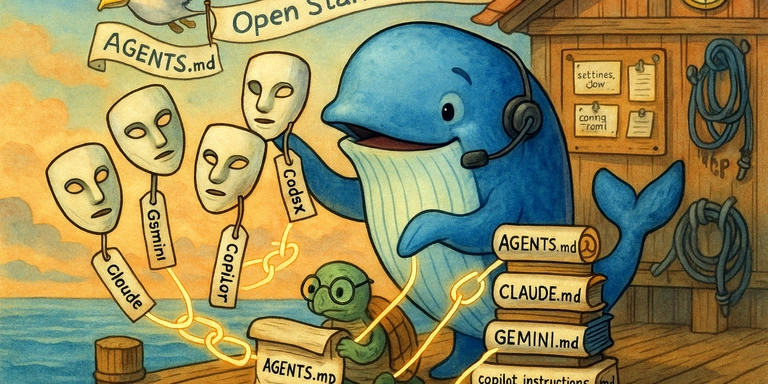
ytyng uses Claude Code as the primary development tool. When Claude Code’s server responses are unstable, other agent development tools are sometimes used, and it would be convenient if the skills, MCP settings, and other configurations created for Claude Code could be reused as-is.
With that in mind, an investigation was done into whether Claude Code’s configuration files and command definitions can be used as-is with other tools (Gemini CLI, OpenAI Codex CLI, GitHub Copilot CLI). Ideally, they would be shared simply by creating symbolic links.
Tools Covered
- Claude Code (Anthropic)
- Gemini CLI (Google)
- OpenAI Codex CLI (OpenAI)
- GitHub Copilot CLI (GitHub/Microsoft) — GA in February 2026
Configuration File Layouts for Each Tool
Project instruction files (Project Instruction)
Each tool reads a Markdown file placed at the project root to determine how it should behave within that project. Only the filename differs; the contents are the same kind of natural-language Markdown.
| Tool | File Name | Official documentation |
|---|---|---|
| Claude Code | CLAUDE.md |
Using CLAUDE.md files |
| Gemini CLI | GEMINI.md |
GEMINI.md |
| Codex CLI | AGENTS.md |
AGENTS.md Guide |
| Copilot CLI | AGENTS.md / .github/copilot-instructions.md |
Custom Instructions |
An important point is that AGENTS.md is an open standard defined by the Linux Foundation’s Agentic AI Foundation (announcement, December 2025). It was co-founded by OpenAI, Anthropic, and Block. It has been adopted by more than 60,000 open-source projects, and Claude Code also falls back to reading AGENTS.md when CLAUDE.md is not present.
Official site: https://agents.md/
Global config directories
| Tool | Config Dir | Settings Format |
|---|---|---|
| Claude Code | ~/.claude/ |
settings.json (JSON) |
| Gemini CLI | ~/.gemini/ |
settings.json (JSON) |
| Codex CLI | ~/.codex/ |
config.toml (TOML) |
| Copilot CLI | ~/.copilot/ |
copilot-instructions.md (Markdown) |
CLI help excerpts
Relevant configuration-related options excerpted from each tool’s --help.
Claude Code:
--system-prompt <prompt>       System prompt for session
--mcp-config <configs...>      Load MCP servers from JSON files
--settings <file-or-json>      Path to settings JSON file
--plugin-dir <path>            Load plugins from a directory
--disable-slash-commands       Disable all skills
Gemini CLI:
--policy                       Additional policy files or directories
--extensions / -e              List of extensions to use
--include-directories          Additional workspace directories
Codex CLI:
-c, --config <key=value>       Override config from ~/.codex/config.toml
-p, --profile <CONFIG_PROFILE> Configuration profile
-s, --sandbox <SANDBOX_MODE>   Sandbox policy
Conclusion: What Can Be Shared, and What Cannot
What can be shared via symbolic links
1. Project instruction files: fully shareable
Because all tools use natural-language instructions in Markdown, they can be shared by symlinking to a single canonical file.
AGENTS.md                              # Source of truth
CLAUDE.md -> AGENTS.md                 # Claude Code
GEMINI.md -> AGENTS.md                 # Gemini CLI
                                       # Copilot CLI reads AGENTS.md directly
Git tracks symbolic links as-is, so the same structure is preserved even when teammates clone the repository.
2. Global instruction files: fully shareable
In this environment, global instructions for three tools reference the same file:
~/.claude/CLAUDE.md  -> ~/home-files/config/claude-code/CLAUDE.md
~/.gemini/GEMINI.md  -> ~/home-files/config/claude-code/CLAUDE.md
~/.codex/AGENTS.md   -> ~/home-files/config/claude-code/CLAUDE.md
Claude Code–specific instructions (e.g., “run a review with /review-stage”) will also be visible to Gemini and Codex, but tools that don’t have the relevant feature simply ignore them, so there is no practical downside.
3. Slash commands / custom agents
| Tool | Command Dir | Format | How to invoke |
|---|---|---|---|
| Claude Code | ~/.claude/commands/ |
.md (YAML frontmatter) |
/command-name |
| Codex CLI | ~/.codex/prompts/ |
.md (YAML frontmatter) |
specified via arguments |
| Gemini CLI | ~/.gemini/commands/ |
.toml |
/command-name |
| Copilot CLI | ~/.copilot/agents/ / .github/agents/ |
.agent.md (Markdown) |
/agent or --agent name |
Claude Code and Codex CLI use the same .md + YAML frontmatter format, so they can be shared directly via symlinks. Copilot CLI uses a custom extension (.agent.md) and a different directory structure, so direct sharing is not possible:
~/.codex/prompts/ -> ~/home-files/config/claude-code/commands/
In this environment, that symlink already works.
Only Gemini CLI uses the .toml format, so it cannot be shared directly via symlinks.
Claude Code / Codex CLI command format:
---
description: "Create feature branch, commit, push, and open a pull request."
allowed-tools: Bash(git:*), Bash(gh:*), Bash(open:*)
---

今回の修正内容にあった名前でフィーチャーブランチを作ってください。
Gemini CLI command format:
description = "Create feature branch, commit, push, and open a pull request."
prompt = """
今回の修正内容にあった名前でフィーチャーブランチを作ってください。
"""
The content is the same, but the file formats differ. Conversion is required for Gemini CLI.
What cannot be shared
Skills (auto-trigger)
Claude Code’s skills system (~/.claude/skills/) is a tool-specific feature that automatically matches and triggers based on the description. Neither Gemini CLI nor Codex CLI has an equivalent system (Codex has .agents/skills/, but the format and behavior are different).
Copilot CLI has custom agents (defined as .agent.md files) and can automatically delegate to sub-agents based on context. The concept is close to Claude Code skills, but because the file format (.agent.md) and locations (.github/agents/ or ~/.copilot/agents/) differ, they cannot be shared via symlinks.
Skills are one of Claude Code’s key differentiators, but as each tool begins to add its own “skills-like” capabilities, further standardization is something to watch for.
settings.json / config.toml
Not shareable because each tool’s schema is completely different:
- Claude Code: manages permissions, hooks, plugins, sandbox in JSON
- Gemini CLI: manages auth, theme, mcpServers in JSON
- Codex CLI: manages model, trust_level, mcp_servers in TOML
Hooks / Plugins
A Claude Code–specific feature. Copilot CLI also has hooks, but the format differs.
MCP server settings
Claude Code and Gemini CLI both use JSON with similar structure, but tool-specific options (such as permissions) are mixed in, making automatic synchronization difficult. Manual syncing is the practical approach.
Summary
| Config item | Claude ↔ Codex | Claude ↔ Gemini | Claude ↔ Copilot CLI |
|---|---|---|---|
| Project Instruction | symlink | symlink | not needed (reads AGENTS.md directly) |
| Global Instruction | symlink | symlink | symlink |
| Slash Commands | symlink | conversion required (toml) | different format (.agent.md) |
| Skills | - | - | different format (.agent.md) |
| Settings | - | - | - |
| MCP | - | manual sync | - |
| Hooks/Plugins | - | - | - |
Codex CLI has the best compatibility: both instruction files and commands can be shared via symlinks. Gemini CLI can share instruction files, but command formats differ. Copilot CLI reads AGENTS.md directly, so no symlink is needed for project instructions, but its custom agent format (.agent.md) is tool-specific.
Given the momentum behind AGENTS.md as an open standard under the Linux Foundation, cross-tool compatibility is likely to improve further. For now, a practical compromise is: “standardize instruction files via symlinks; treat commands and skills as tool-specific.”
References
- GitHub Copilot CLI GA 発表 - 2026年2月に一般提供開始
- Copilot CLI カスタムエージェント作成 -
.agent.mdによるカスタムエージェント定義 - AGENTS.md 公式サイト
- Linux Foundation - Agentic AI Foundation 発表
- CLAUDE.md, AGENTS.md, and Every AI Config File Explained - 各設定ファイルの包括的比較
- AGENTS.md: One File to Guide Them All - AGENTS.md をユニバーサル標準として使う解説
- Keep your AGENTS.md in sync - One Source of Truth - symlink 戦略の実践ガイド
- Do you symlink your AGENTS.md and skills to .claude? - SSW Rules のディスカッション
- Sharing AI Agent Configs Between Cursor and Claude with Symlinks - symlink 共有の実践記事
- Claude Code, Codex, Gemini CLI Converge on Shared Patterns - 3ツールの収束分析
- AGENTS.md Cross-Tool Unified Management Guide - クロスツール統一管理ガイド
- awesome-agent-skills - 1000+ のコミュニティスキル集
- ccmanager - Claude Code / Gemini CLI / Codex CLI のセッションマネージャー
We look forward to discussing your development needs.