---
slug: "macropad-12key-rotary-oled"
title: "12-Key Rotary Macropad"
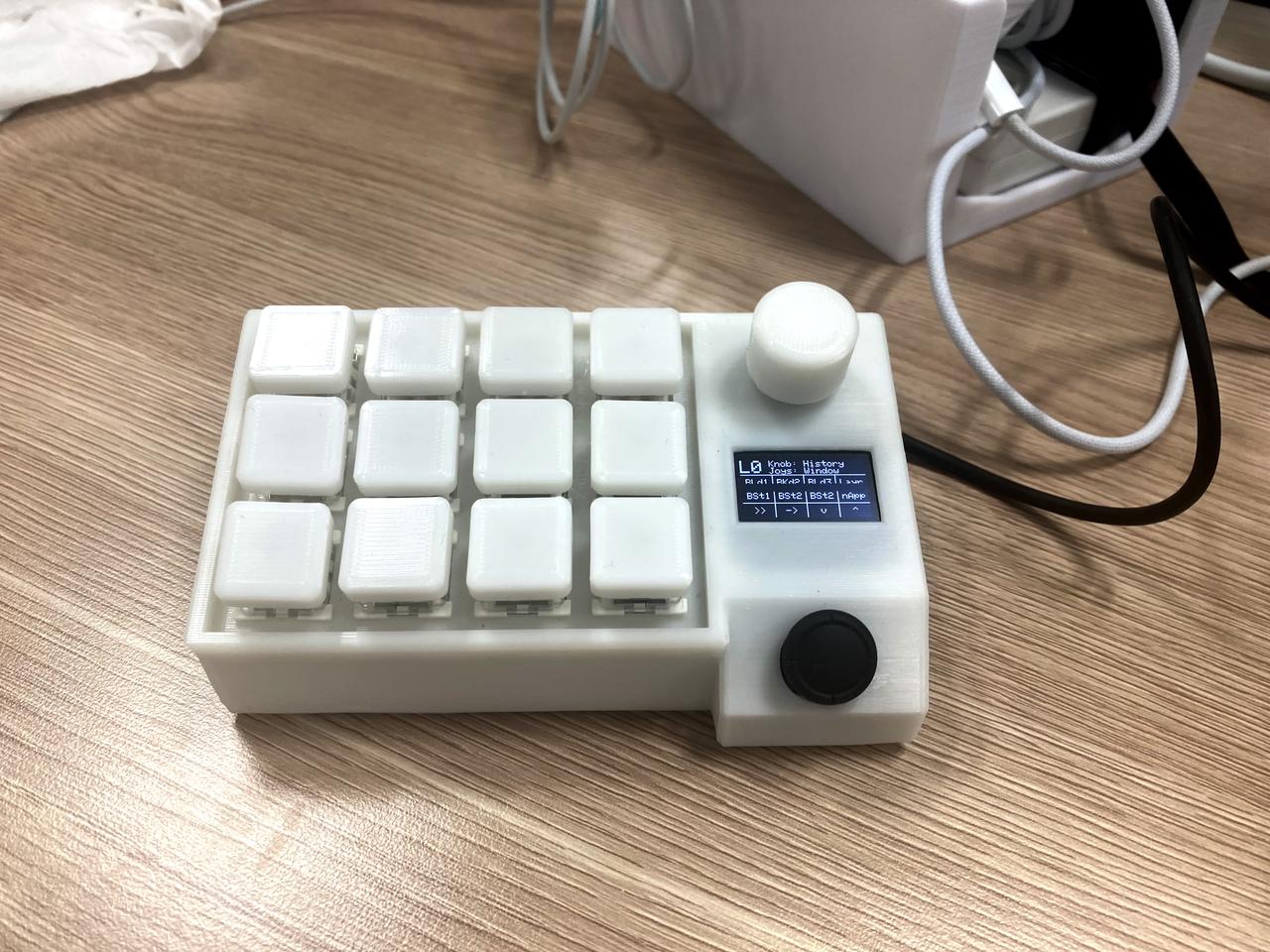
description: "Introducing a macro pad equipped with 12 keys, a rotary encoder, an OLED display, and a joystick. The case design and programming were all done in-house."
url: "https://www.ytyng.com/en/bio/macropad-12key-rotary-oled"
achieved_at: "2023-06-17"
updated: "2024-04-29T11:05:28.534Z"
category: "電子工作"
image_url: "https://media.ytyng.com/20240429/8a8f487ed3bc43c08bb02fd14ecf5c6f.jpg"
lang: "en"
---

# 12-Key Rotary Macropad

# Motivation

When debugging programming, function keys like F8 are frequently used. However, Macs with TouchBar make it difficult to touch type function keys, making them quite inconvenient to use.

To serve as a substitute for the function keys, I created a macro pad.

Additionally, since I had extra joysticks, OLEDs, and rotary encoders lying around, I decided to incorporate all of them into the macro pad.

# Overview

## Frame
Created with a 3D printer.

<div class="stl-viewer my-3" src="https://media.ytyng.com/20240429/224bfeba0dc245b3980029c9d353e05c.stl"></div>

## Microcontroller
My favorite [Waveshare RP2040-Zero](https://www.waveshare.com/wiki/RP2040-Zero)

## Other Parts
- [Rotary Encoder](https://www.amazon.co.jp/gp/product/B07RS9RWSV)
- [OLED Display](https://www.amazon.co.jp/gp/product/B0B19XVFRQ/)
- [Joystick](https://www.amazon.co.jp/gp/product/B0881LPFKR/)

## Programming Language
[Circuit Python](https://circuitpython.org/)

## Device Specifications

The device can switch between 3 layers with key operations.

The keymap is displayed on the OLED.